
15 Money-Saving Apps That Help You Save More on Everyday Expenses
Want to save more money? Time to simply pull out your phone. Download, tap, and swipe your way to more savings. Download these must-have money savings smartphone apps.
Looking for easy ways to save money without spending hours clipping coupons or searching for deals? Your smartphone might be one of the most useful tools in your savings strategy. With the right money-saving apps, you can find discounts, earn cash back, save on groceries, and stretch your budget a little further.
I’ve rounded up 16 of my favorite money-saving apps to help you spend less on everyday expenses, from grocery shopping and retail purchases to travel and more. Many of these apps are free to download and use, making them an easy way to look for extra savings without adding another expense to your budget.
One of my favorite tricks is to combine savings whenever possible. Depending on the app’s rules and the offer, you may be able to use a cash-back app alongside store promotions, other eligible rebate offers, or printable coupons to save even more on the same purchase.
New apps and deals pop up all the time, so this list is a helpful starting point for finding options that fit your shopping habits. Let’s take a look at the apps that can help you keep more money in your pocket!
Must-Have Money-Saving Smartphone Apps
Makeena: Earn Cash Back on Organic and Natural Foods
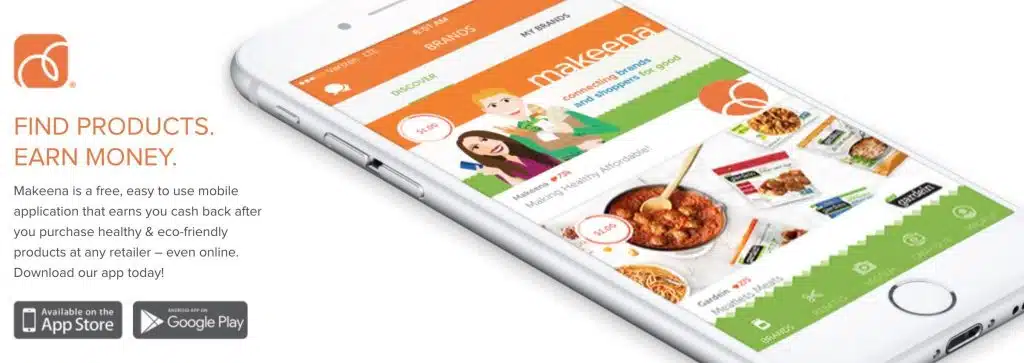
If you love finding ways to save money on groceries, especially organic and natural foods, Makeena is an app worth checking out. It focuses on cash-back offers for qualifying products, including organic, gluten-free, and non-GMO foods.
Getting started is simple. Browse the available offers, purchase eligible products, and submit a photo of your receipt through the app to claim your cash back. According to the app details shared here, rewards can be cashed out through PayPal or Venmo once you reach the $20 minimum.
Bonus: Sign up using my Makeena referral link to see whether a new-member bonus is available. My original offer included a few $1 rewards toward the cash-out threshold, but be sure to check the current terms before signing up.
Fetch: Earn Rewards on Everyday Shopping
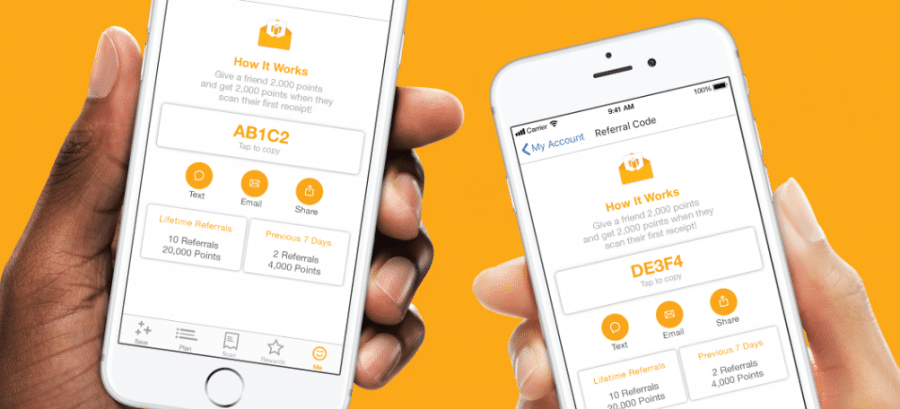
Looking for an easy way to earn rewards on groceries and everyday purchases? Fetch is one of my favorite apps because it’s simple to use. Instead of hunting for individual coupons, you can earn points by scanning eligible receipts from your shopping trips.
Fetch offers a variety of ways to earn points, including qualifying grocery purchases, snacks, beverages, and other everyday items. Simply shop, snap a picture of your receipt, and submit it through the app. You can then redeem your points for available rewards, such as gift cards. Eligible online purchases may also earn points when you shop through participating retailers.
New-member bonus: My original offer included 2,000 bonus points (about $2) when you signed up with promo code FJ8FR and scanned your first receipt. Promotions can change, so check the current offer when registering to see whether the bonus is still available.
The best part? Fetch accepts eligible receipts from many different stores, so you don’t have to stick to one grocery chain to earn rewards. It’s an easy way to get a little something back for shopping you’re already doing.

Target Circle: Save on Target Shopping
If you shop at Target, Target Circle is worth checking out. This free loyalty program offers ways to save on purchases across a wide range of departments, including groceries, household essentials, clothing, beauty products, baby supplies, and more.
You can browse available deals and add eligible offers to your account before shopping. Target Circle also offers personalized deals and other perks, depending on your eligibility and current promotions. You can even participate in select Target Circle community voting campaigns that help direct Target’s charitable giving to nonprofit organizations.
Keep in mind that Target Circle’s benefits have changed over time. The former 1% earnings program is no longer a benefit you should assume is available, and Target Circle offers may vary. Check the current program details to see which discounts and rewards you can use on your next shopping trip.
Ibotta: Earn Cash Back on Groceries and More
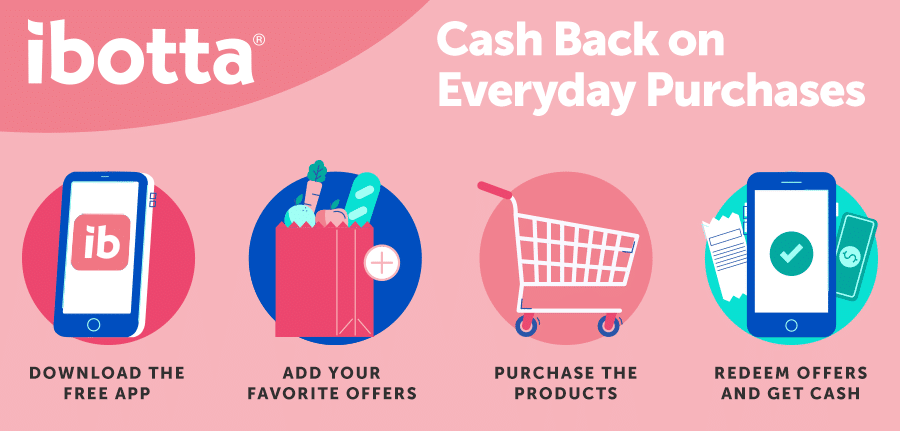
Ibotta is a popular cash-back app that can help you save on groceries and other everyday purchases. Before you shop, browse the available offers and add the ones you plan to use. After purchasing eligible products from a participating retailer, follow the app’s instructions to claim your cash back.
One of the best parts? You may be able to combine Ibotta offers with eligible store coupons and sales for even more savings, as long as the offer terms allow it.
You can also link participating store loyalty accounts to make claiming certain offers easier, although some purchases may still require you to submit a receipt. Just remember to activate any required offers before shopping and check the details carefully so you don’t miss out on cash back.
Ibotta offers change frequently, so browse the app before each shopping trip to see what’s available and plan your purchases around the deals that make sense for your budget.
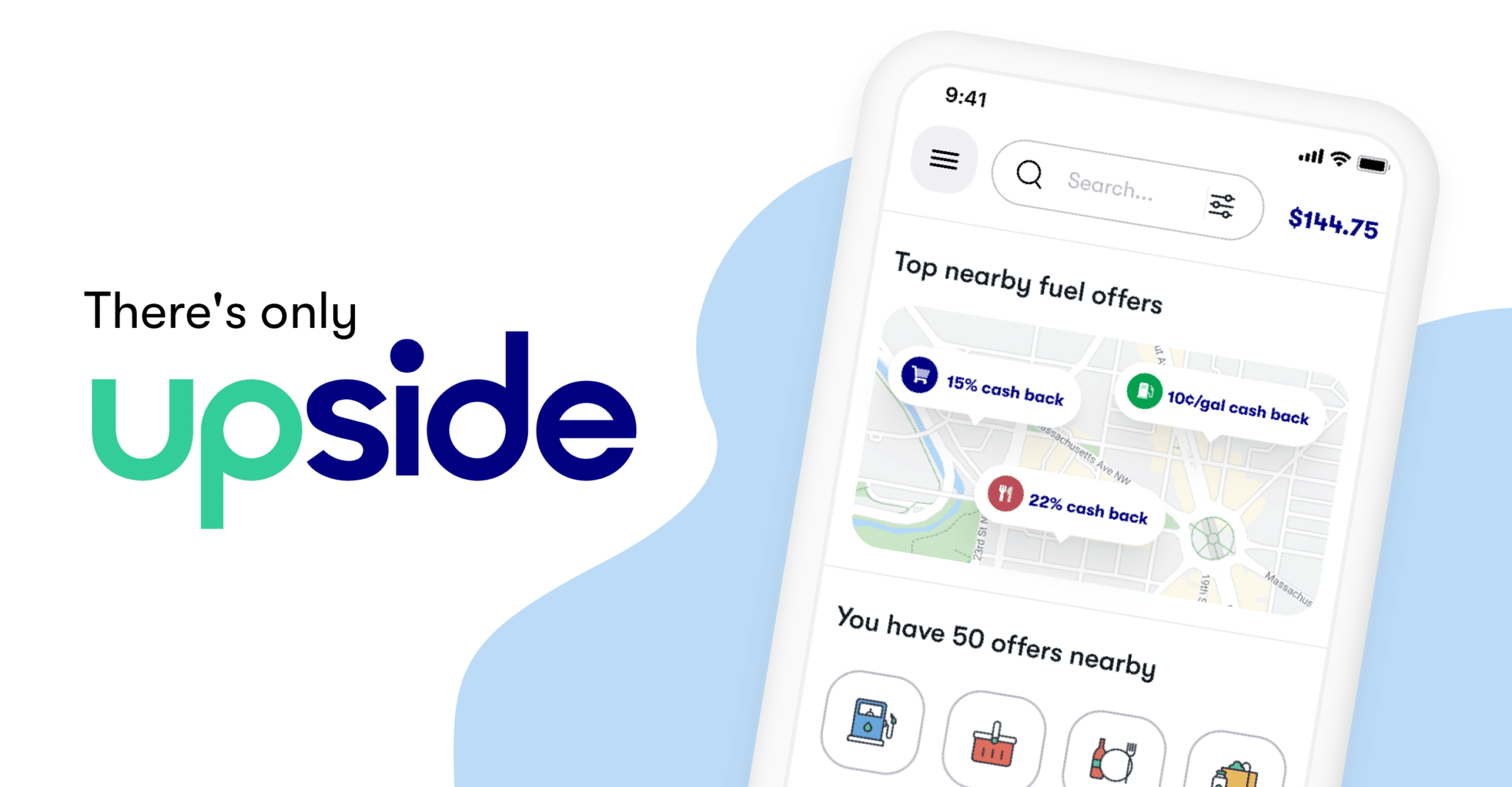
Upside: Earn Cash Back on Gas, Groceries, and Restaurants
If you’re looking for ways to save on expenses beyond the grocery store, check out Upside. This app offers cash back on eligible purchases at participating gas stations, grocery stores, and restaurants.
Getting started is simple: browse available offers, claim one before making your purchase, and follow the instructions to earn your cash back. Offers and reward amounts vary by location and participating business, so it’s worth comparing the available deals before you buy.
Another perk is that you may be able to combine Upside rewards with certain store loyalty programs, discounts, or other coupons, depending on the offer’s terms. That can make it easier to earn rewards on purchases you’re already planning to make.
Upside is especially worth considering if you regularly fill up your gas tank or dine out. Just remember to compare prices and offers first to make sure you’re actually saving money, rather than spending extra to earn cash back.
Receipt Hog: Earn Rewards for Everyday Shopping
Want to earn rewards on purchases you’re already making? Receipt Hog is a receipt-scanning app that lets you turn eligible shopping receipts into rewards. Whether you’re picking up groceries, household essentials, or other everyday items, you may be able to earn rewards without searching for specific product coupons.
Getting started is easy. After shopping, snap a photo of your receipt and submit it through the app. Eligible receipts can earn you virtual coins, which you can accumulate and redeem for available rewards.
The best part is that Receipt Hog isn’t limited to one grocery store or a particular brand. You can submit qualifying receipts from a variety of retailers, subject to the app’s rules and limits.
If you’re looking for a simple way to get a little extra value from your regular shopping trips, Receipt Hog is worth exploring. Just check the app for current reward options, redemption thresholds, and receipt eligibility before getting started.
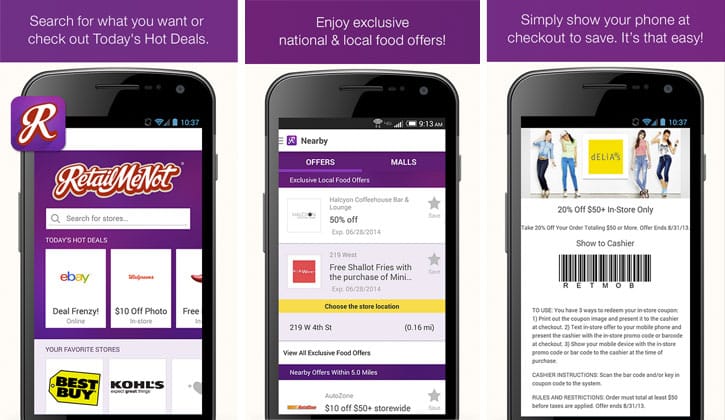
RetailMeNot: Find Coupons and Promo Codes
Shopping online or heading to your favorite store? RetailMeNot is a handy resource for finding coupons, promo codes, and deals that can help you save on everything from clothing and electronics to home goods and everyday essentials.
Using the site is simple. Search for a retailer, browse the available offers, and check for a coupon code you can apply at checkout. You may also find cash-back offers and other promotions for participating stores.
Before completing an online purchase, it’s worth taking a minute to check RetailMeNot for a current deal. Not every code will work on every purchase, and some offers have restrictions or expiration dates, so read the terms before counting on the savings.
Whether you’re shopping at Kohl’s, Best Buy, or another retailer, a quick search could help you pay less for something you were already planning to buy.
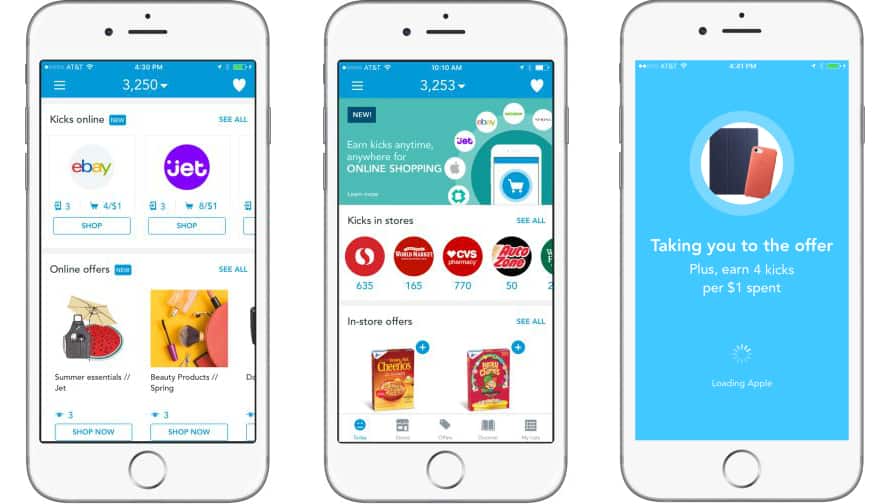
Shopkick: Earn Rewards While You Shop
What if you could earn rewards just by shopping, browsing products, or completing simple activities? That’s the idea behind Shopkick, a shopping rewards app that lets you collect points called kicks and redeem them for gift cards.
Depending on the current offers and participating retailers, you may be able to earn kicks by visiting stores, scanning selected product barcodes, making qualifying purchases, or shopping online through the app. Some activities don’t require a purchase, making Shopkick an option to explore if you enjoy earning rewards while running errands.
Getting started is simple: download the app, check which stores and activities are participating in your area, and follow the instructions to earn kicks. Once you’ve accumulated enough, you can redeem them for available gift cards.
Sign-up bonus: My original offer used the promo code INSPIRING for a bonus worth $5 in kicks. Promotional offers can change, so check the app during registration to see whether this code and bonus are still available.
If you’re already visiting stores for your regular shopping, Shopkick may be an easy way to earn a little extra without buying things you don’t need.
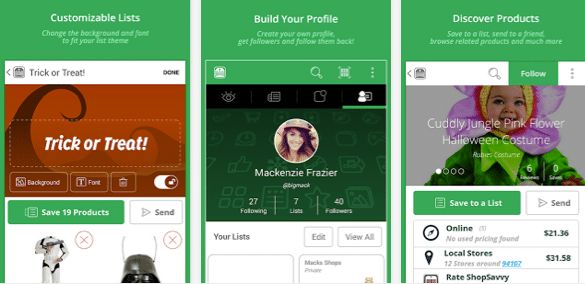
ShopSavvy: Compare Prices Before You Buy
Want to make sure you’re getting the best deal before making a purchase? ShopSavvy is a price-comparison tool that helps you compare prices on products from different retailers, both online and in nearby stores.
Using the app is simple. Search for an item by name or scan its barcode to find available listings and compare prices. Depending on the product and available information, you may also be able to check price history and see how prices have changed over time.
ShopSavvy can be especially helpful when shopping for electronics, appliances, home goods, and other big-ticket purchases. Comparing prices before you buy can help you spot a better deal and avoid paying more than necessary.
Instead of settling for the first price you see, take a moment to search for the item and compare your options. A little research before checkout can add up to meaningful savings over time.
TheCouponsApp: Find Local Coupons While You’re Out Shopping
Need a coupon while you’re already out running errands? TheCouponsApp was designed to help shoppers find discounts and deals from nearby businesses without having to search through stacks of paper coupons.
Depending on the offers available, you may be able to find savings at local restaurants, coffee shops, and retail stores. Simply browse the available deals and follow the provided link or instructions to access a coupon.
This type of app can also be useful when you’re traveling for work or heading out on vacation. Checking for local promotions before dining out or shopping may help you save a little money while exploring somewhere new.
Before relying on this app, check whether it is still available and actively updated, as local coupon apps can change or discontinue their services over time.
TopCashback: Earn Cash Back When You Shop Online
If you shop online regularly, TopCashback is worth checking before you make a purchase. The site partners with thousands of retailers and lets you earn cash back on eligible purchases when you start your shopping trip through its platform.
Simply search for the store you plan to shop with, activate the available cash-back offer, and complete your purchase according to the offer’s terms. You can find deals across a variety of categories, including clothing, travel, home goods, and more.
Over time, those cash-back rewards can add up, especially when you use the site for purchases you were already planning to make. TopCashback offers several withdrawal options, although payment methods, eligibility requirements, and processing times can vary.
My tip? Check for cash-back offers before checking out online. It’s an easy extra step that could put some money back in your pocket.
GasBuddy: Find Cheaper Gas Near You
With gas prices constantly changing, finding a cheaper place to fill up can make a difference in your monthly budget. GasBuddy helps drivers compare reported fuel prices at nearby gas stations so they can look for a better deal before pulling up to the pump.
Open the app, check prices in your area, and compare nearby stations to see where you might save. Prices can change quickly, so it’s a good idea to check when you’re ready to fill up.
Even saving a few cents per gallon can add up over time, particularly if you drive frequently or have a long commute. Just remember to factor in the extra distance you’d need to travel. Driving several miles out of your way to save a few cents may not be worth it.
Airbnb: Find Vacation Rentals and Unique Experiences
Planning a vacation doesn’t have to mean booking a traditional hotel. Airbnb connects travelers with hosts offering a variety of accommodations, including private homes, apartments, and individual rooms.
Depending on your destination and travel dates, you may find a rental that fits your budget, gives your family more room to spread out, or includes a kitchen so you can prepare some of your own meals. Airbnb also offers experiences and activities in select destinations, depending on availability.
Before booking, compare the total price rather than just the nightly rate. Cleaning fees, service fees, taxes, and other charges can make a rental more expensive than it first appears. Compare the final cost with nearby hotels to determine which option offers the best value for your trip.
Goodbudget: Plan Your Spending With Digital Envelopes
Do you like the envelope budgeting method but don’t want to carry cash around? Goodbudget brings that approach to your smartphone with virtual envelopes that help you organize your money by spending category.
You can create envelopes for expenses such as groceries, transportation, dining out, rent, and entertainment. Then, assign portions of your available income to each category and track your spending as you go.
The goal is to give every dollar a purpose before you spend it. When your grocery envelope is running low, for example, you’ll know it’s time to be more mindful of what goes into your cart.
Goodbudget offers a free version and paid plans with additional features. It’s a helpful option for anyone who wants a clearer picture of where their money is going and prefers a hands-on approach to budgeting.
Qapital: Build Savings Into Your Everyday Habits
Saving money can feel difficult when you’re trying to cover everyday expenses, but setting aside small amounts consistently can help you work toward a goal. Qapital is a savings and money-management app designed to help users automate their saving habits.
Depending on the plan and features available, you can set up rules that move money toward your goals when certain activities or conditions occur. For example, you might create a savings goal for a New York getaway and set aside a predetermined amount whenever you make a qualifying purchase or meet a personal milestone.
You can use this approach to save toward a vacation, an emergency fund, a major purchase, or another financial goal. Automating the process can make saving feel less like a chore because you’re building it into your routine.
Before signing up, review Qapital’s current plans, fees, and eligibility requirements to determine whether its features are worth the cost for your budget.
Other Money-Saving Articles
The Best Time to Buy Anytime – A Month to Month Grocery Sale Cycle Guide
How To Take Family Road Trips on The Cheap
How To Get Grocery Coupons for Free
This post may contain affiliate links or sponsored content. Disclosure Policy





Upside is an amazing phone app.!!!